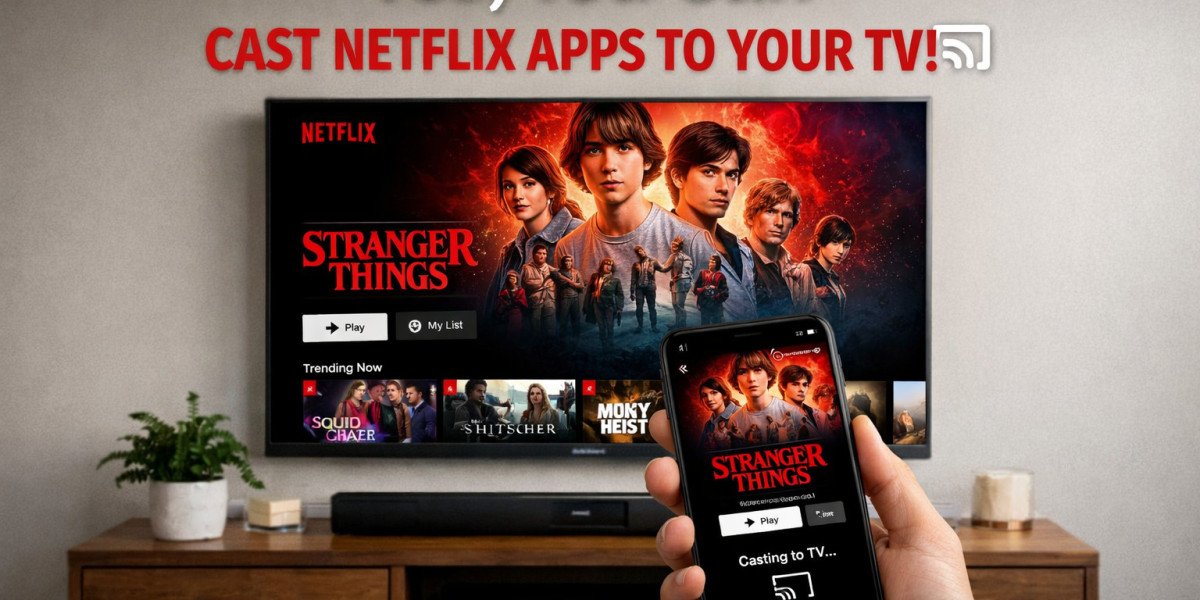

You open the Netflix app on your phone. You find the perfect show. You tap the cast icon, ready to send it to your television. But the icon is gone. Your TV doesn't appear. The option simply vanished. What happened?
If you're trying to cast Netflix in 2026, you're facing a harsh new reality. Netflix has systematically dismantled casting capabilities that users relied on for years. The convenience you took for granted, browsing on your phone, watching on your big screen, now requires jumping through hoops or doesn't work at all. Let me explain exactly what Netflix changed, why they did it, and what you can still do about it.
The Hard Truth: Netflix Has Removed Most Casting
Netflix cast a shadow over its own service in late 2025. The company quietly removed Google Cast support from its mobile apps for most modern televisions and streaming devices. This wasn't a glitch or temporary outage. It was deliberate, permanent, and largely unannounced.
What Changed in Late 2025
Sometime around November 2025, Netflix updated its mobile apps and support documentation to reflect a stark new policy. The company's help page now states: "Netflix no longer supports casting shows from a mobile device to most TVs and TV-streaming devices. You'll need to use the remote that came with your TV or TV-streaming device to navigate Netflix." Users across Reddit and tech forums reported the cast button disappearing from their apps without warning. The change affected Chromecast with Google TV, Google TV Streamer, Android TV devices, and most modern smart TVs.
Why Netflix Killed the Cast Button
Netflix claims the feature wasn't widely used. A representative told WIRED that Netflix sometimes retires features "that are not widely used so that it can invest in those that provide more value." However, the company refused to share specific usage statistics or explain what "more valuable" features replaced casting. Users strongly disagree with this characterization, pointing out that casting was essential for convenient browsing and travel viewing.
The Few Exceptions That Still Work
Not all casting died. Netflix carved out narrow exceptions that leave most users frustrated but keep the feature technically alive for specific scenarios.
Legacy Chromecast Devices (Pre-2020)
If you own an older Chromecast, specifically first, second, or third generation models, or the Chromecast Ultra, casting still works. These devices lack physical remotes and on-screen interfaces. Netflix apparently considers them legitimate casting targets because there's no alternative navigation method. However, Google has "all but killed off" the original Chromecast line, making these devices increasingly rare and outdated.
Specific Cast-Enabled TVs
Netflix maintains a short list of compatible devices including select cast-enabled Vizio TVs, select cast-enabled Compal TVs, and Google Nest Hub Smart Displays. These represent a tiny fraction of the television market. If you bought your TV in the last few years, it almost certainly doesn't qualify.
The Ad-Supported Plan Ban
Even if you own compatible hardware, your Netflix plan might block casting entirely. Netflix's ad-supported tier, priced at $7.99 monthly, prohibits casting to any device regardless of age. This restriction existed before the 2025 changes but now combines with hardware limitations to create a casting desert for budget subscribers.
The Apple AirPlay Precedent
Netflix didn't suddenly turn against casting in 2025. They rehearsed this move years earlier with Apple users.
2019: When AirPlay Died
In April 2019, Netflix removed AirPlay support from its iOS apps without warning. Users who had seamlessly beamed content from iPhones to Apple TVs found the feature simply gone. Netflix cited "technical limitations" as the reason. The timing was suspicious, coming as Apple prepared to expand AirPlay to third-party TV manufacturers, potentially creating a universal casting standard that Netflix couldn't control.
The "Technical Limitations" Explanation
Netflix claimed AirPlay 2 lacked "digital identifiers" to let Netflix distinguish between device types and certify quality standards. A spokesperson stated: "We can't distinguish which device is which, we can't actually certify the devices... so we've had to just shut down support for it." Critics noted this explanation was misleading since the technology worked fine, Netflix simply couldn't control the ecosystem to their satisfaction. The 2025 Google Cast removal follows an identical pattern.
What You're Forced to Do Instead
Netflix wants you using their native TV apps exclusively. This creates significant friction.
The Native TV App Requirement
Instead of casting from your phone, you must now launch the Netflix app directly on your television or streaming device. You browse using your TV remote, typing search queries through on-screen keyboards, navigating interfaces designed for ten-foot viewing distances. Your phone becomes merely a secondary screen for account management, not content control.
Manual Login Hassles
Every new TV requires manual credential entry. For travelers using hotel room televisions or Airbnb setups, this is particularly painful. You must type email and password using remote controls, often leaving login data on shared devices unless you remember to sign out. Previously, casting kept credentials securely on your personal device while displaying content on any screen.
The Travel and Hotel Room Problem
This change specifically harms mobile viewing scenarios. Hotels often restrict HDMI port access or input switching on their televisions, making casting the only viable option. Business travelers who relied on phone-to-TV casting in hotel rooms now face significant barriers. Projector setups without native apps also become problematic.
Plan-Specific Restrictions
Your Netflix subscription tier now directly determines your casting capabilities.
Ad-Supported Tiers: No Casting Ever
Netflix's cheapest plan, the $7.99 ad-supported tier, blocks casting completely. This restriction applies to all devices regardless of age. If you want casting functionality, you must upgrade to at least the Standard ad-free plan at $17.99 monthly. This pricing structure effectively makes casting a premium feature.
Standard and Premium: Limited Casting
Even ad-free subscribers face severe casting limitations. Only legacy devices without remotes support casting from mobile apps. Modern Google TV devices, Chromecast with Google TV, and most smart TVs force native app usage. You're paying premium prices but receiving restricted functionality compared to previous years.
Workarounds That Actually Function
All is not completely lost. Alternative methods still deliver phone content to televisions.
HDMI Cable Connection
The oldest method remains the most reliable. Connect your laptop or phone directly to your television using an HDMI cable. Modern phones require USB-C to HDMI adapters. This provides perfect quality, zero latency, and works regardless of Netflix's restrictions. The cable clutter disappoints, but the functionality satisfies.
Screen Mirroring vs. Casting
True casting hands streaming duties to the television. Screen mirroring displays your entire phone screen on the TV. Netflix blocks native casting but cannot prevent operating-system-level screen mirroring. However, Netflix apps detect mirroring attempts and display error messages or black screens. Some users report success using browser-based Netflix access combined with mirroring, though Netflix actively patches these workarounds.
Laptop Browser Methods
Laptops connected to TVs via HDMI bypass casting entirely. You get full Netflix functionality, keyboard navigation, and no mobile restrictions. This requires carrying a laptop rather than just a phone, but remains the most reliable travel solution for hotel room viewing.
Why Netflix Really Removed Casting
Official explanations don't tell the complete story. Multiple factors likely drove this decision.
Account Sharing Crackdown
Netflix has aggressively pursued password sharing restrictions. Casting created a loophole where users could access Netflix on televisions without logging in directly, complicating household verification systems. By forcing native app logins, Netflix ensures every television usage ties to specific account credentials and IP addresses. This supports their location-based sharing restrictions.
DRM and Content Protection
Casting protocols potentially create content security vulnerabilities. When phones control playback, the encryption chain becomes more complex. Native TV apps offer Netflix complete control over DRM implementation, bitrate management, and codec optimization. The company emphasizes "quality" in their explanations, but control appears equally important.
Ad Delivery Control
For ad-supported tiers, casting presented technical challenges. Mobile-controlled casting made it difficult to ensure ads displayed correctly on televisions, track viewership accurately, or prevent ad skipping. Native apps guarantee proper ad insertion and measurement, crucial for Netflix's growing advertising business.
The User Experience Impact
Netflix claims this improves user experience. Users strongly disagree.
Browsing on Phone, Watching on TV
The core use case Netflix eliminated was browsing convenience. Phones offer superior interfaces for searching, reading descriptions, and managing watchlists. Sending selected content to televisions was seamless. Now users must navigate clunky TV interfaces or constantly switch between devices. The "improvement" feels like significant degradation.
The Remote Control Frustration
TV remotes cannot match phone touchscreens for text input or navigation speed. Searching for specific titles becomes tedious. Scrubbing to find where you stopped watching requires multiple button presses instead of simple phone gestures. For viewers who fell asleep mid-episode, resuming becomes noticeably more difficult.
What Other Streaming Services Do
Netflix stands increasingly alone in restricting casting.
Free Apps That Still Cast Freely
Tubi, Pluto TV, Peacock, Freevee, and virtually every other streaming service maintain robust casting support. They recognize that users prefer browsing on phones while watching on televisions. These services face identical technical challenges regarding DRM and advertising yet solve them without restricting user choice. Netflix's approach appears punitive rather than necessary.
The Competitive Advantage
Competitors now explicitly market casting capabilities as advantages over Netflix. When users discover their Netflix casting no longer works, alternatives become more attractive. The restriction may drive subscriber churn rather than retention, particularly among mobile-first users and frequent travelers.
Future Possibilities
Will Netflix reverse this unpopular decision?
Will Netflix Reverse Course?
Historical precedent suggests no. AirPlay support disappeared in 2019 and never returned. Netflix has weathered user complaints about password sharing crackdowns and price increases without retreating. The casting removal aligns with their broader strategy of controlling the viewing environment completely. Reversal seems unlikely unless subscriber loss becomes severe.
Alternative Technologies Emerging
New standards like Matter and Thread promise universal smart home integration. Whether Netflix supports these standards remains uncertain. The company may develop proprietary casting alternatives that maintain their control requirements. Users should not expect open, universal casting standards to return to Netflix anytime soon.
Conclusion
Can you cast the Netflix APK to your TV? Technically yes, but practically almost no. Unless you own outdated hardware and pay premium subscription prices, Netflix has removed the casting capabilities that defined modern streaming convenience. The company forces native app usage, manual logins, and remote control navigation, all in the name of "improving user experience" that users universally recognize as worse.
This change reflects Netflix's broader strategic shift from growth-oriented accessibility to revenue-maximizing control. Every restriction serves their interests: preventing account sharing, enforcing ad delivery, protecting content, and pushing users toward higher-priced tiers. Your convenience became collateral damage.
For reliable phone-to-TV Netflix viewing, HDMI cables and laptops now outperform the official app experience. For casting convenience, competitors like Tubi and Pluto TV welcome you with open arms and functioning cast buttons. Netflix made their choice. Now you must make yours.
Frequently Asked Questions
Why can't I find the cast button in my Netflix app anymore?
Netflix removed Google Cast support from mobile apps for most modern devices in late 2025. The cast button now only appears when compatible legacy devices are detected on your network, specifically pre-2020 Chromecasts without remotes. If you use newer streaming devices or smart TVs, the button disappears because Netflix no longer supports casting to those platforms.
Does Netflix still work with Chromecast?
Only with older Chromecast models. First, second, and third generation Chromecasts, plus Chromecast Ultra, maintain casting support. Chromecast with Google TV (2020 and newer) and Google TV Streamer no longer support Netflix casting from mobile apps. You must use the Netflix app directly on those devices with their physical remotes.
Can I cast Netflix if I have the ad-supported plan?
No. Netflix's ad-supported plan prohibits casting to any device regardless of hardware age. This restriction existed before the 2025 changes. To cast Netflix at all, you must subscribe to Standard or Premium ad-free plans, and even then, you're limited to legacy devices.
Why did Netflix remove AirPlay support in 2019?
Netflix claimed "technical limitations" prevented them from distinguishing between device types as Apple expanded AirPlay to third-party televisions. Critics suggest the removal was strategic, preventing a universal casting standard Netflix couldn't control. The 2025 Google Cast removal follows identical reasoning, consolidating control over the viewing experience.
Is there any way to cast Netflix from my phone to a hotel room TV?
Direct casting no longer works for most modern hotel room setups. Your options include: bringing an HDMI cable and adapter to connect your phone directly, using a laptop with HDMI output, or requesting specific hotel television models that might still support casting. Some travelers now carry portable streaming sticks that bypass hotel TV restrictions entirely.